
Customer Journey Tracking
Visualize and automate your sales pipeline with Kanban-style journey stages.
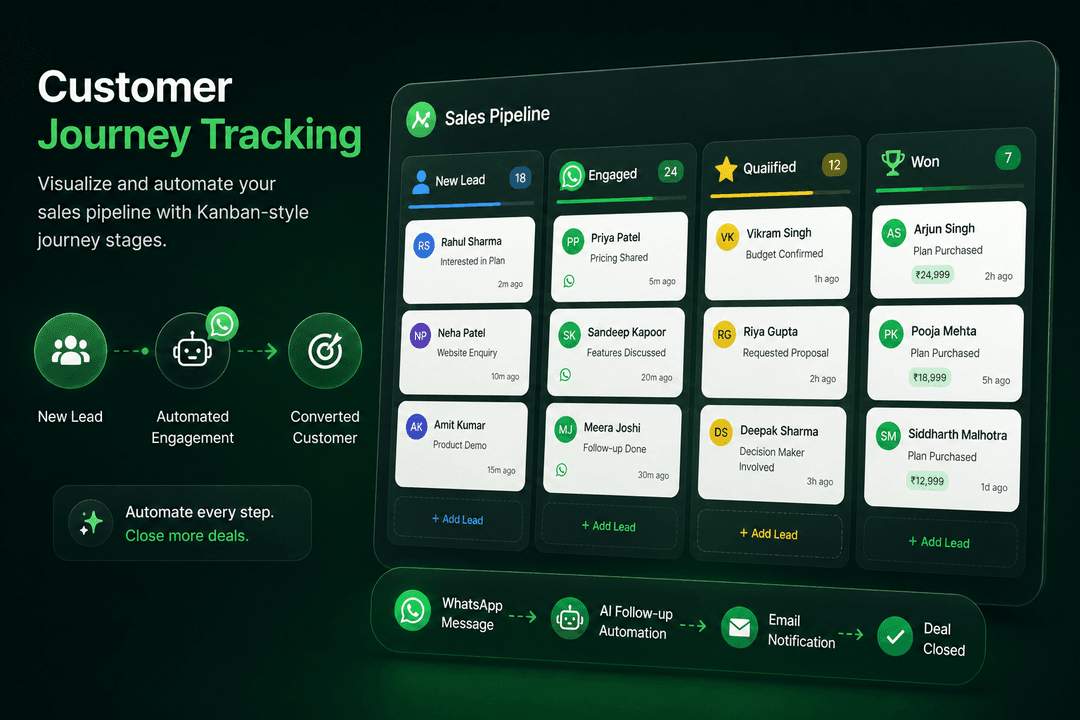
From Lead to Loyalty, Every Step Tracked
Map your entire customer journey with customizable stages. Our Kanban-style interface lets you visualize where every contact is in your pipeline - from new leads to active customers to loyal advocates.
Automate stage transitions with triggers and campaigns. When a contact moves to a new stage, automatically send a WhatsApp message, assign a task, or update their profile. This ensures no lead falls through the cracks and every customer receives timely, relevant communication.
Journey Stages:
- New Lead: First contact with your business.
- Engaged: Responded to messages or interacted with content.
- Qualified: Met criteria for sales follow-up.
- Proposal: Received pricing or proposal.
- Customer: Completed first purchase.
- Loyal: Repeat customer with high engagement.
- Advocate: Actively refers new customers.
Automation Rules:
Set up automated triggers for stage transitions. When a contact completes a purchase, automatically move them to "Customer" stage and send a welcome message. When a lead goes inactive for 30 days, move them to "Nurture" and start a re-engagement campaign.
Key Benefits:
- Kanban Pipeline: Visual drag-and-drop interface for contact management.
- Automated Transitions: Trigger campaigns and actions on stage changes.
- Custom Stages: Build journeys that match your unique sales process.
- Performance Insights: Track conversion rates between stages.
Ready to Use This Feature?
Our experts are here to show you how Customer Journey Tracking can transform your business communication.
Request a Consultation